



FAQ
Find answers to common questions about ToxiUI.

Action Bars
Action Bars are UI elements that hold abilities, spells, items, and macros for quick access. They are mostly used for keybinds.
How to make my Action Bars be visible all the time?
As of ToxiUI patch 6.9.4 this is now in a different location:
/tx settings Copied!
Select Show Always
Where is my Pet Action Bar?
Your Pet's Action Bar is mouse-over under your Player UnitFrame
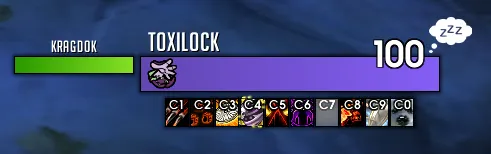
How to make my Action Bars have a square shape?
/ec Copied!
How to disable colored keybinds?
/tx settings Copied!
Chat
Most common and basic answers to questions related to chat.
How to change chat font size?
Right click the chat tab.
How to make text above players have a background again?
/ec Copied!
How to hide chat bubbles in dungeon/raid/garrison?
Follow this detailed guide by ElvUI: https://github.com/tukui-org/ElvUI/wiki/chat-bubble-replacements
How to disable automatic announcements?
/ec Copied!

Edit Mode
Edit Mode is Blizzard's native User Interface customization tool.
Does ToxiUI provide an Edit Mode profile?
No.
Ever since Edit Mode was released in Dragonflight, it’s been a mess to touch it with code.
Furthermore, as far as I know, you can’t manipulate Edit Mode positions and other settings dynamically via code.
Seeing as I play on a 4K resolution screen, 90% of the playerbase would not be satisfied with my exported Edit Mode profile.
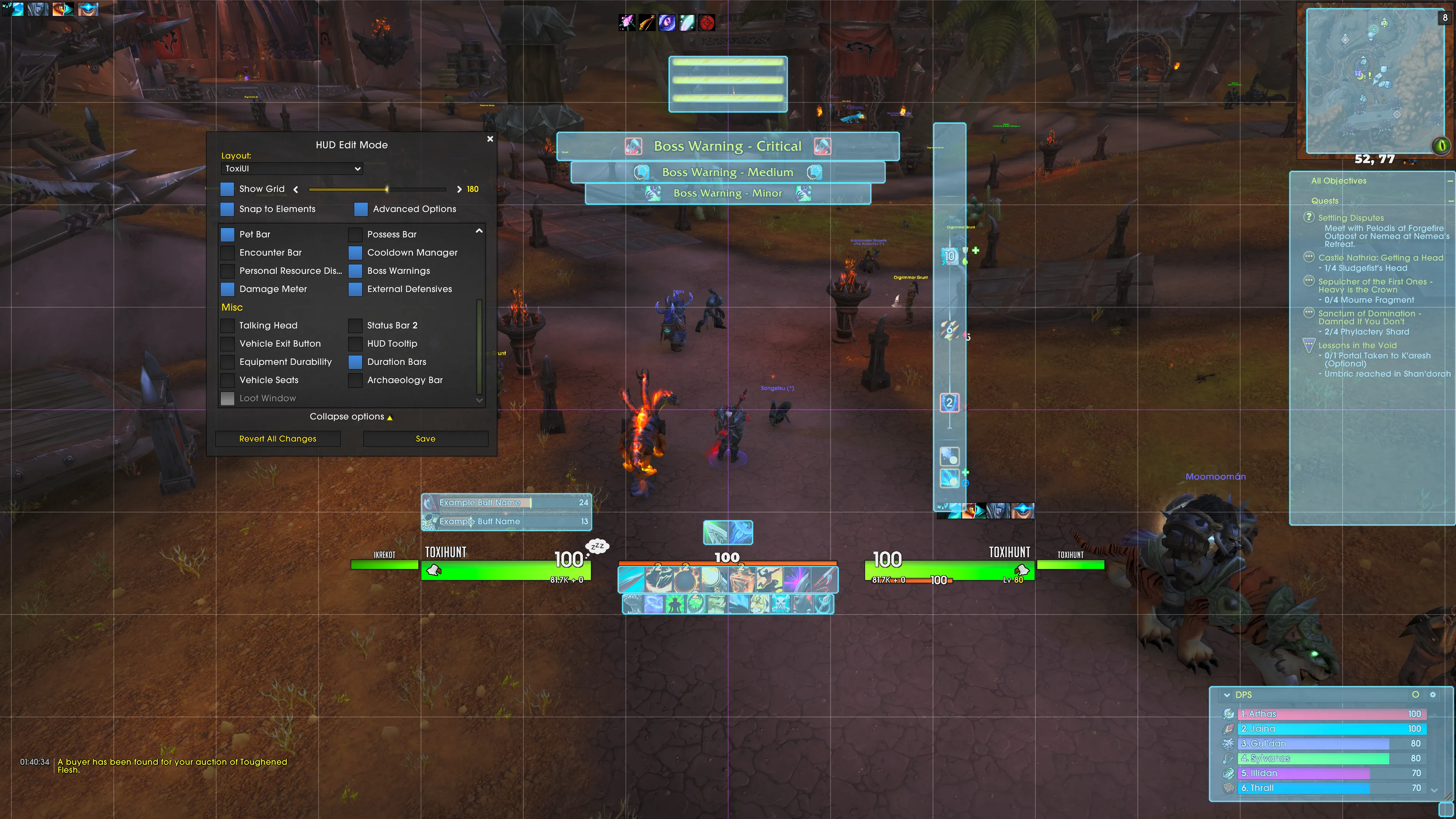
How can I match the ToxiUI Edit Mode?
It’s really no rocket science, just open up Edit Mode and move stuff where you want it positioned.
My edit mode profile is mostly default with some minor tweaks.
Here’s a reference image.
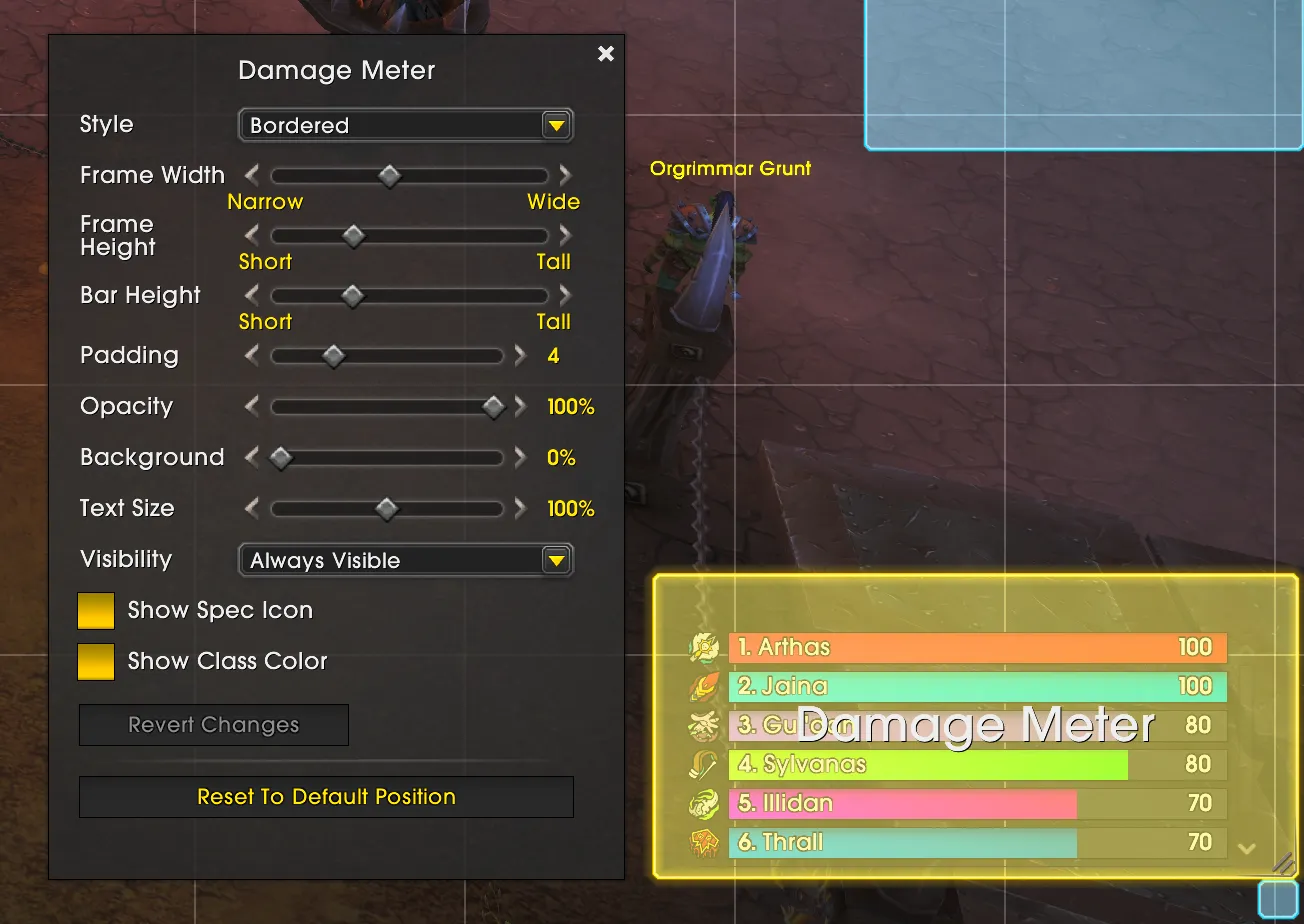
What are your settings for the Blizzard Damage Meter?
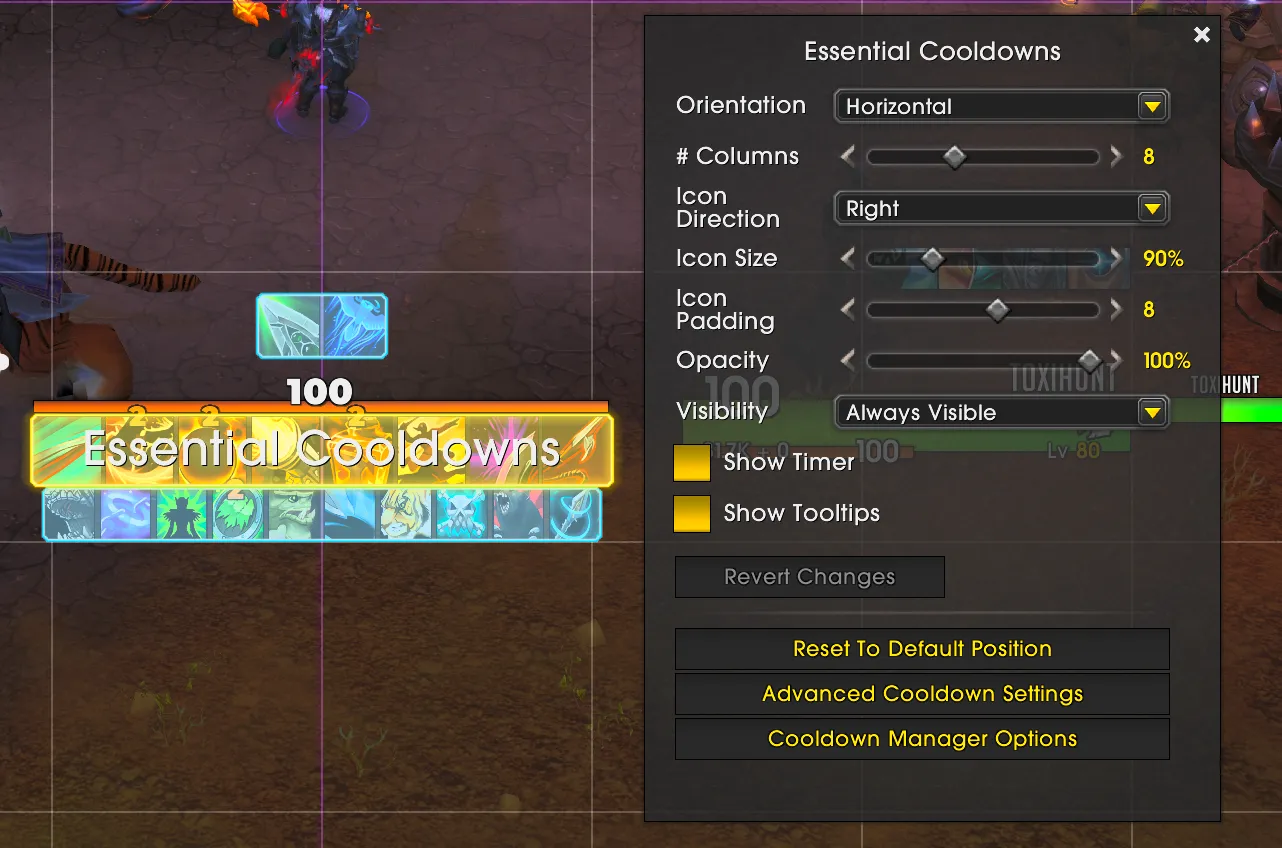
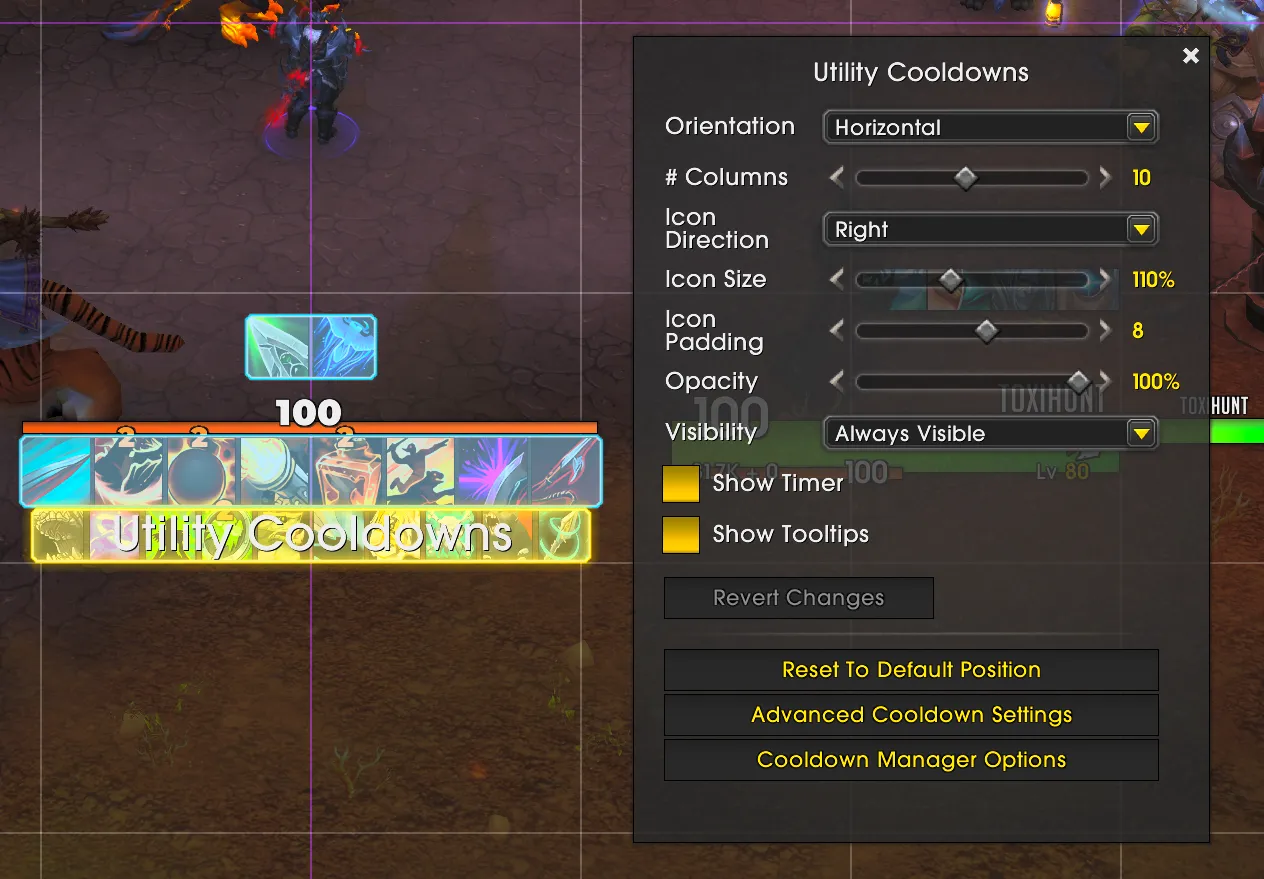
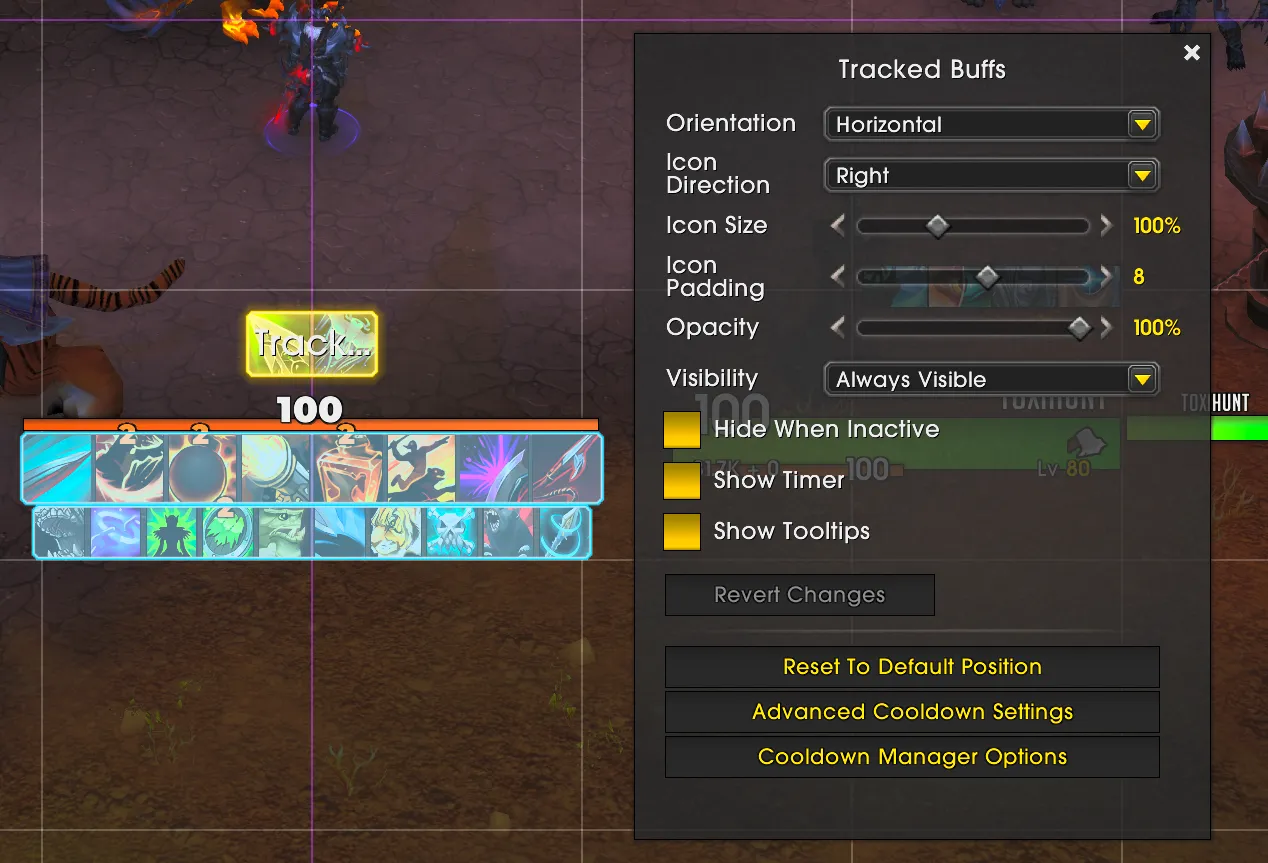
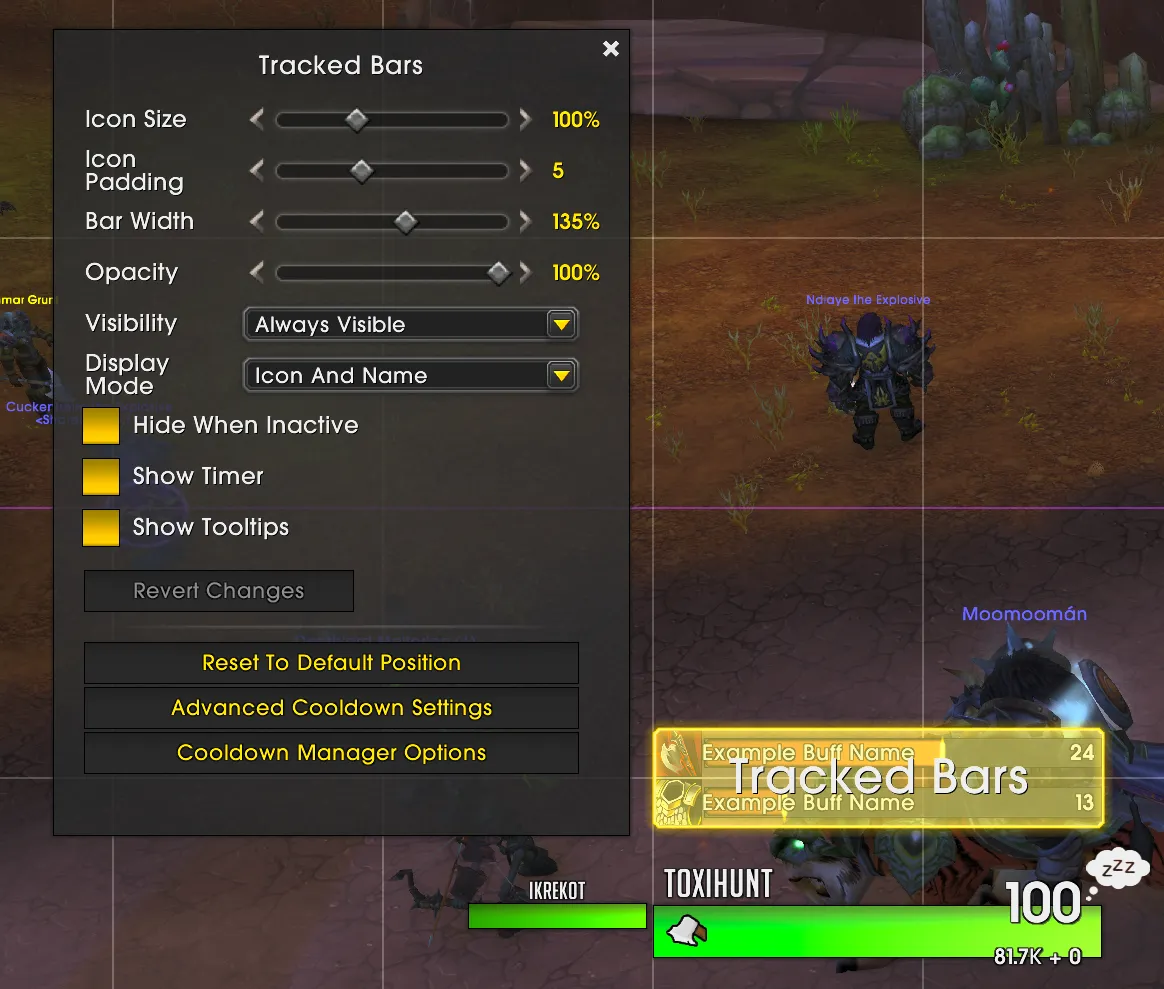
What are your settings for the Blizzard Cooldown Manager?
I am constantly tweaking the settings and playing around with it, so nothing is set in stone. With so little options for customization, it’s really difficult to make it look bad. Regardless, here are the settings. (Last updated February 3rd 2026)
Essentials
Utilities
Buffs
Bars
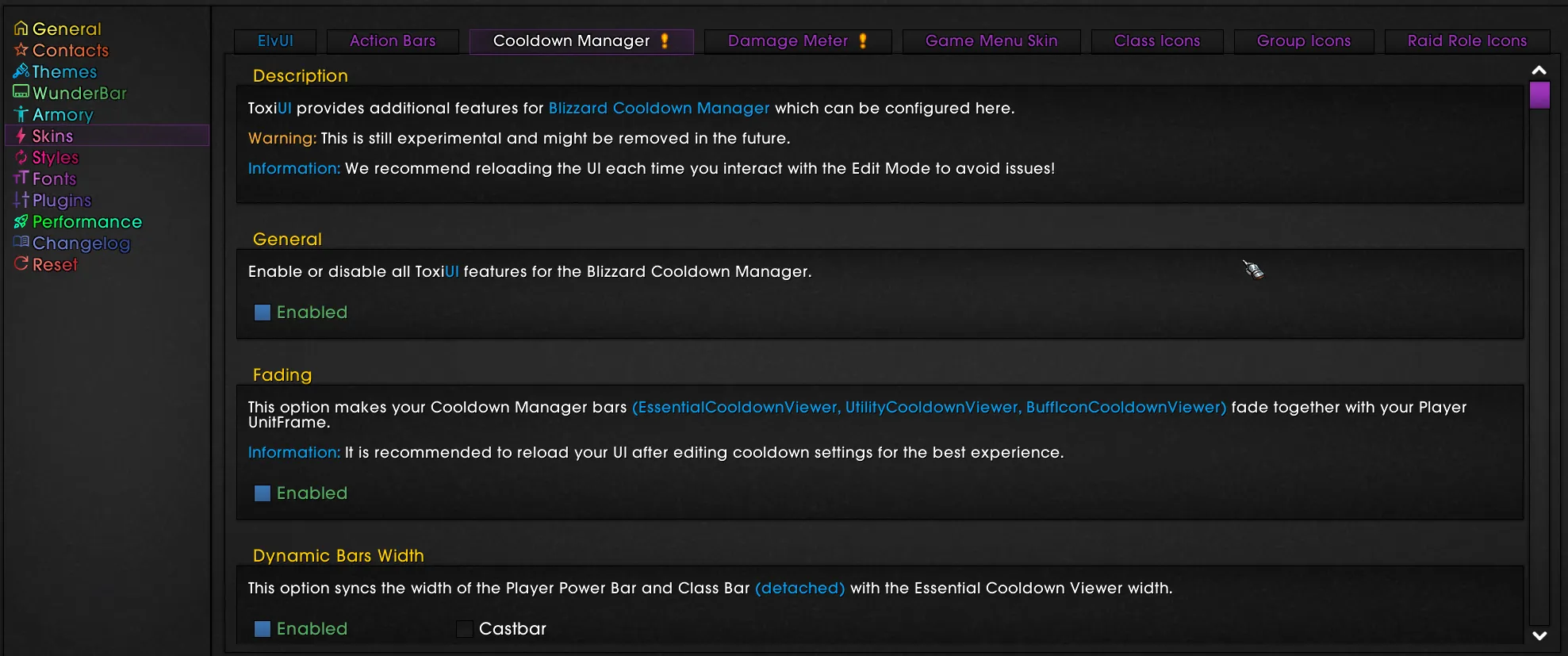
Does ToxiUI skin the Cooldown Manager?
Yes, there are many features inside of ToxiUI for the Blizzard Cooldown Manager.
They are disabled by default and you can enable them in/tx settings Copied!
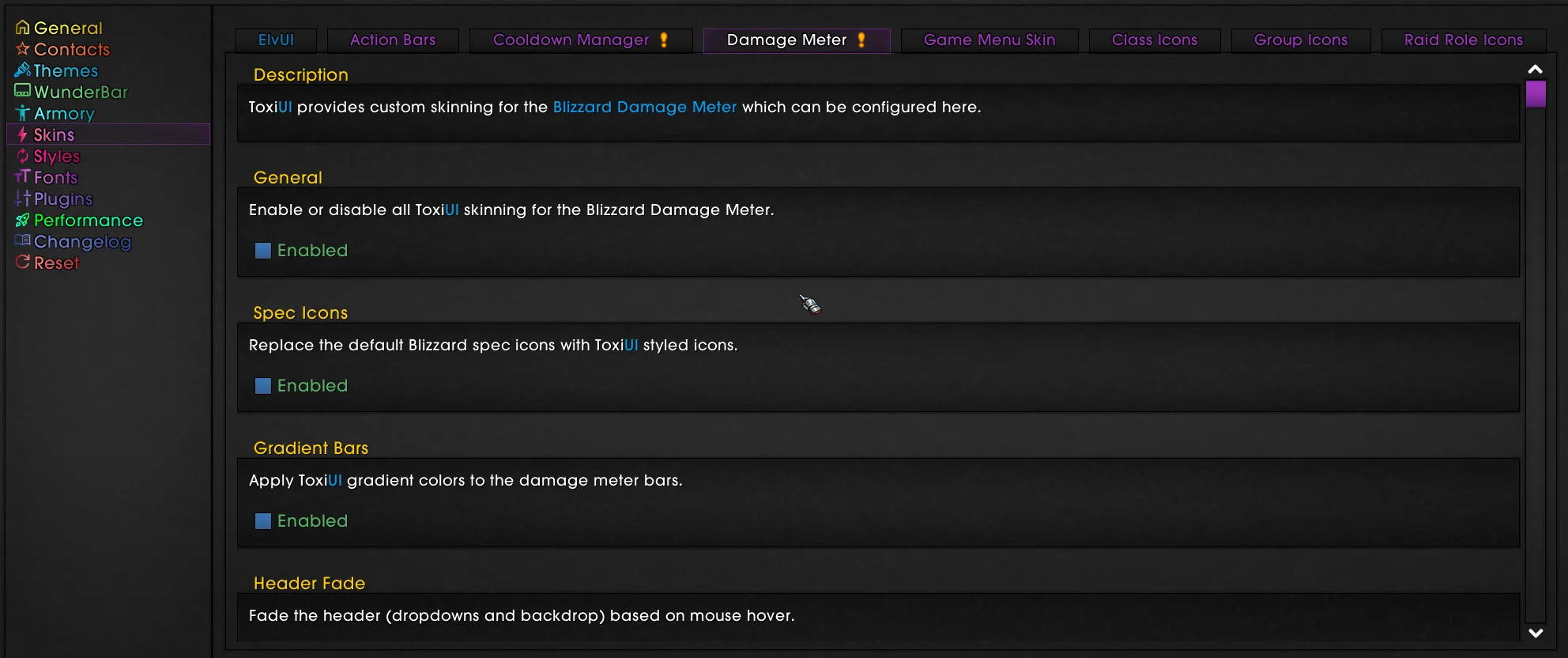
Does ToxiUI skin the Damage Meter?
For Retail, we are using the default Blizzard Damage Meter and ToxiUI is providing skins for it. Can see those in/tx settings Copied!
For non-retail, you can still use Details as the profile is still provided in the installer, but do note that ToxiUI Details are on maintenance mode and there will no longer be any updates.
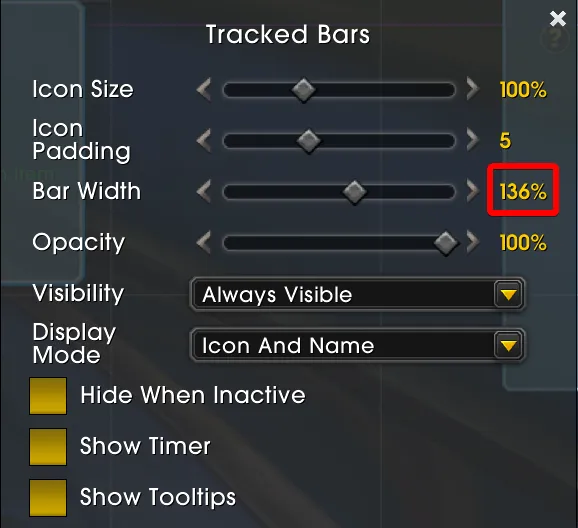
How to match my Buff Bar width with Player UnitFrame width?
Run this command in game:
/run local E = unpack(ElvUI); local bw = BuffBarCooldownViewer.baseBarWidth; local uw = E.db.unitframe.units.player.width; print(format("Buff: %.2f | UF: %.2f | Multiplier: %.4f (%.2f%%)", bw, uw, uw/bw, (uw/bw)*100)) Copied!
You will get a result printed out to chat:

Simply set the same Multiplier as Bar Width in Edit Mode:

General
General ToxiUI questions & answers that don't really fit any category.
How can I support ToxiUI?
You can become a supporter on our Patreon page or you can make a one-time donation via PayPal.If you'd like to provide development support, visit our GitHub repository and see if you can make improvements and/or fix bugs :)
Is ToxiUI Retail different from the Classic versions?
Yes, there are features that are simply impossible to do or would require a complete code rewrite.
Some of these missing features are:
- Armory Mode (available in Mists)
- Deconstruct Mode
- No WindTools AddOn
How to turn on Floating Combat text?
- To enable floating combat text for healing, use the following command in your in-game text box:
/console floatingCombatTextCombatHealing 1Copied!
- To enable floating combat text for damage, use the following command in your in-game text box:
/console floatingCombatTextCombatDamage 1Copied!
- To enable floating combat text for pet damage, use the following commands one after another in your in-game text box:
/console floatingCombatTextPetMeleeDamage 1Copied!/console floatingCombatTextPetSpellDamage 1Copied!
- To enable floating combat text for period damage, use the following command in your in-game text box:
/console floatingCombatTextCombatLogPeriodicSpells 1Copied!
To disable combat text, change the number at the end of the command to 0 Copied!
How can I use the same profile on all of my characters?
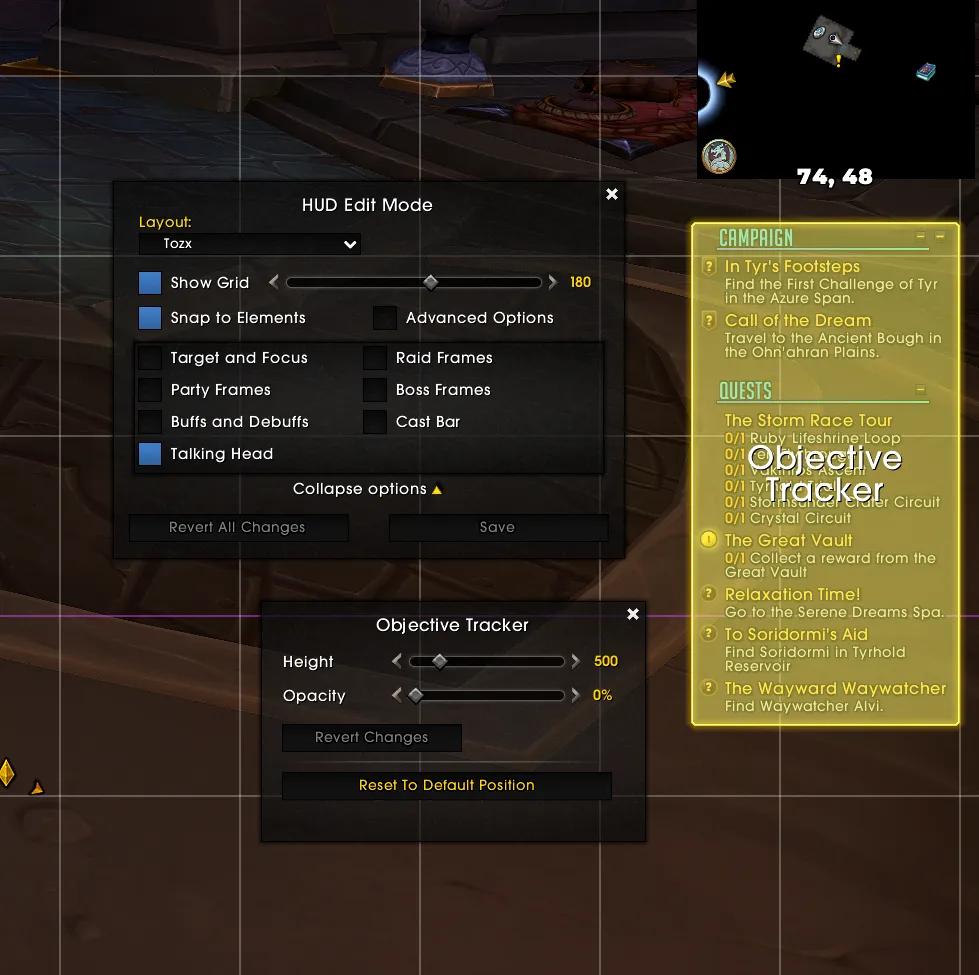
My objective tracker is in the wrong position!
In Dragonflight, Blizzard has introduced the Edit mode and because of that certain UI elements can only be positioned via that menu.
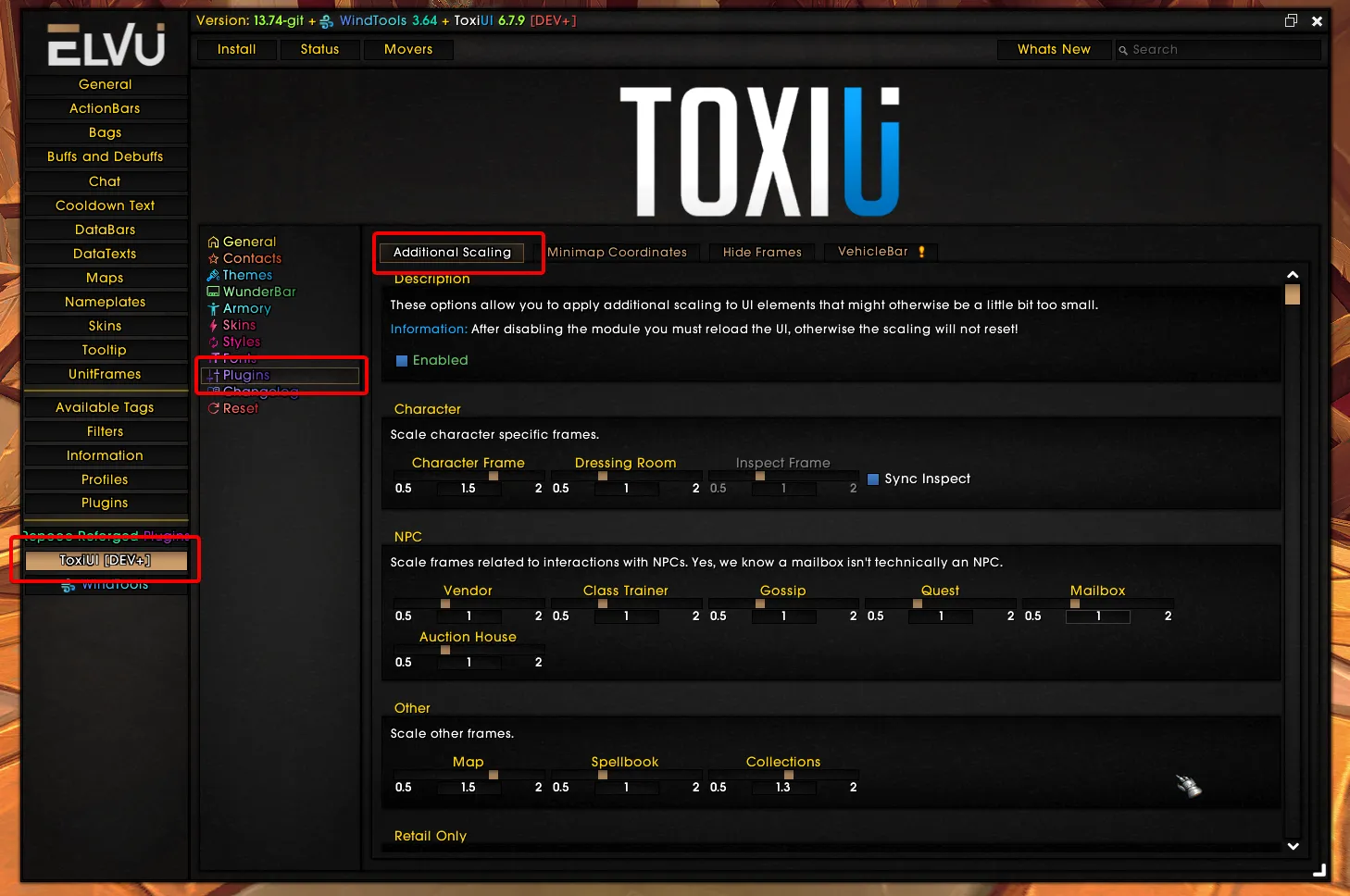
How can I scale individual frames?
Check out the Additional Scaling plugin in ToxiUI settings!
If you believe an option is missing, let us know on Discord :)
Where can I get ToxiUI fonts, icons or textures?
ToxiUI is All Rights Reserved and you may not acquire those assets in any way.
The only legal method of using ToxiUI assets is by installing the ToxiUI AddOn and using the profiles provided.
Do I need to run the ToxiUI installer every update?
As of ToxiUI patch 7.2.9, there is now a Profile Updater feature that you can use to update only selected categories instead of the entire profile. Use/tx update Copied!
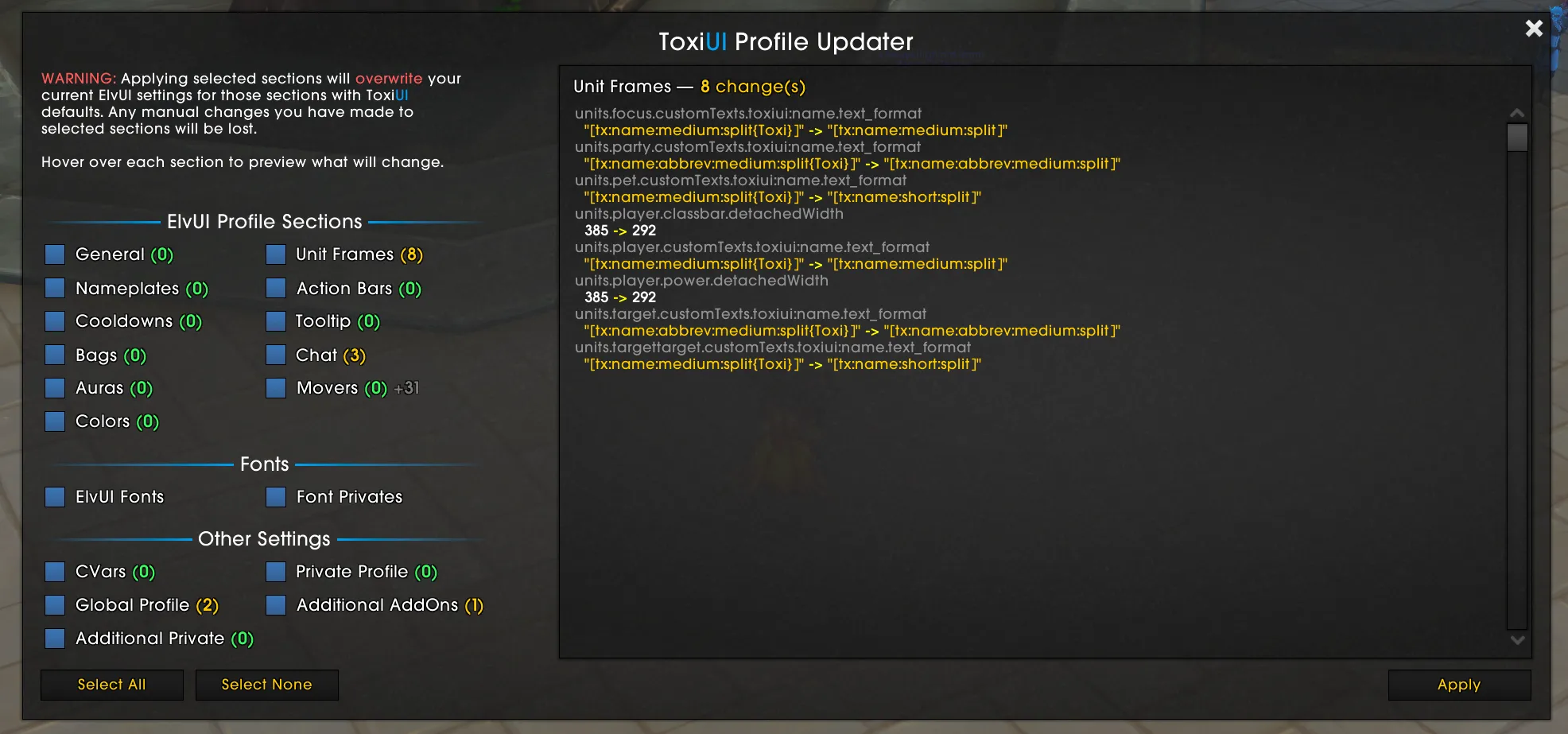
No, unless it is a major patch with a lot of breaking changes, then the game will keep bothering you until you run the installer.
Most of the times though, it’s up to the user when they want to update.
In the ToxiUI changelog, which can be found on CurseForge, Wago, WowInterface, Discord, in-game or on GitHub, you can find a category section called Profile Updates with prefixes for game version. Those changes are the only thing that require an installation process.
Everything else in the changelog gets applied automatically as soon as you update the addon.

Nameplates
Nameplates are dynamic UI elements that appear above players and NPCs, displaying health, cast bars, and status effects. They can be used for easy targeting.
Nameplates are not showing!
Press V to toggle enemy nameplates.
Press Shift+V to toggle allied nameplates.
Press Ctrl+V to toggle both.
If you have rebound the keybinds to something else, you can also toggle them in ESC → Interface → Names
How can I disable nameplate icons from BigWigs?
Quote directly from BigWigs discord:
For the people asking about a global disable option for the new nameplates feature, no such option exists, it will be added in future. If you wish to disable it, you can do so on a per-ability basis in the dungeon trash settings.
I have empty squares on my Nameplates!
This means that the font you're using does not support that symbol.

Themes & Skins
ToxiUI provides various themes and skins to other AddOns, like ElvUI or Details.
How can I disable shadows on ElvUI elements?
/tx settings Copied!
How to disable background fade on game menu?
/tx settings Copied!
Since all of the other features are attached to the background, you have to disable the whole module. Alternatively, you can change it’s opacity to 0 to make it transparent.
How do I prevent ToxiUI from overriding Details?
ToxiUI will only skin details in Gradient or Dark Mode themes and only if the current active Details profile is called ToxiUI Copied!
A reload is required after changing the Details profiles.

UnitFrames
UnitFrames are static UI elements that display health, resources, buffs, and debuffs for player, party members, raid members, target, and more.
How to change UnitFrame texts?
To change UnitFrame texts or icons, go to this menu:
/ecCopied!- Select which text: toxiui:name, toxiui:health, toxiui:class-icon
- Customize the settings or the format
Check out this ElvUI entry for a full tutorial on Custom Texts: https://github.com/tukui-org/ElvUI/wiki/custom-texts
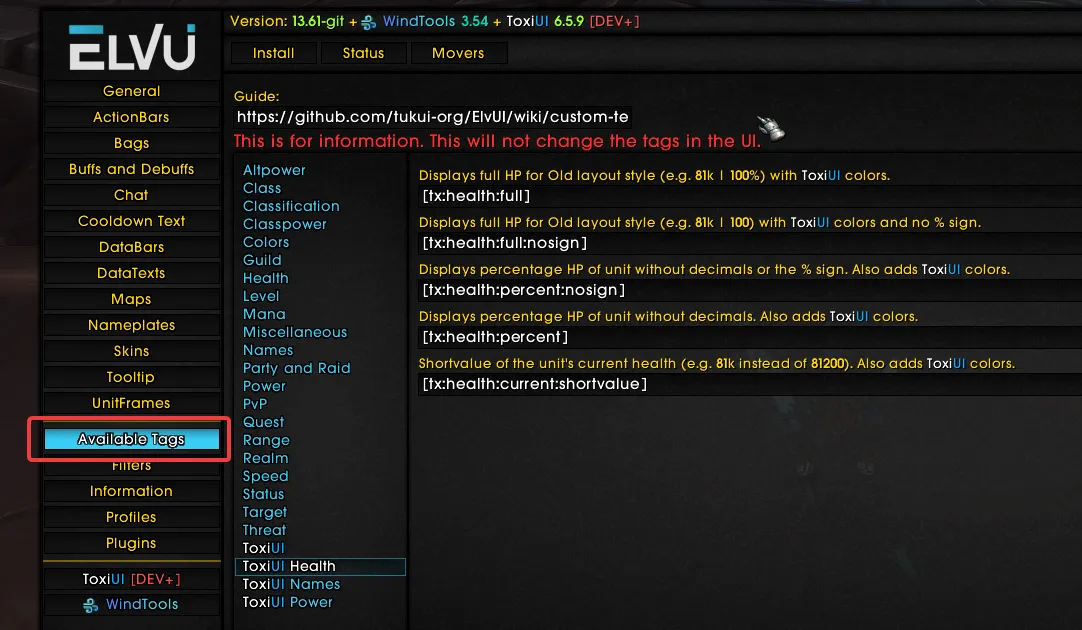
Check out ElvUI's Available Tags section to find out what tags you can use in your text format!
Here's a detailed video on UnitFrame texts:
I can't change UnitFrame texture!
ToxiUI has three themes - Gradient Mode, Dark Mode and Regular. In gradient or dark modes you can't change the status bar textures, because we apply custom skinning to the UI.
Since ToxiUI Patch 6.7.1 we now allow changing UnitFrame & Details textures while in Gradient mode. Visit the Gradient mode settings to see all available options.
You can toggle or disable themes in ToxiUI settings.
How can I edit the UnitFrame Class Icon?
The class icon is actually a tag within a custom text.
To edit it or remove it, go to these settings
/ec Copied!
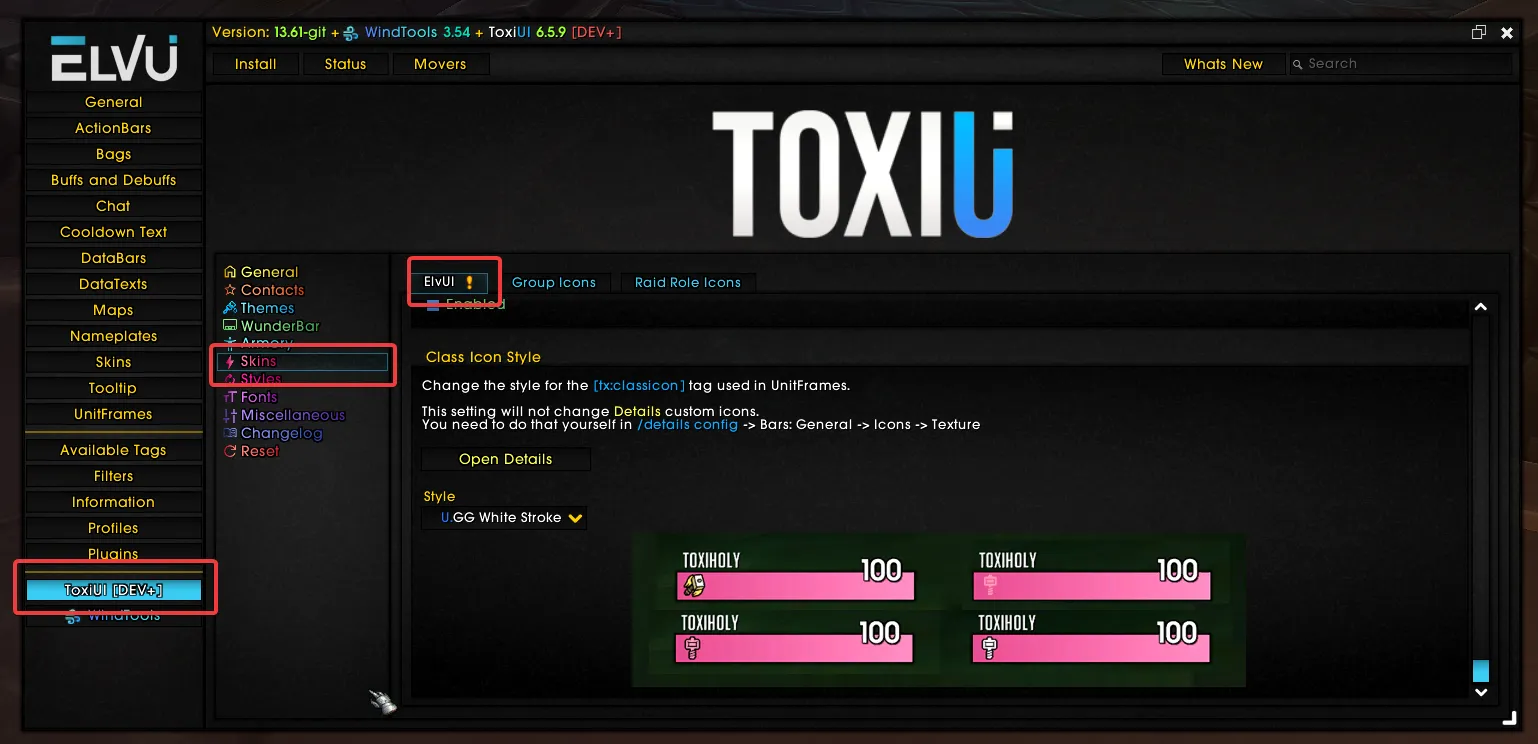
Additionally you can change the style of the class icon in ToxiUI settings' Skins section
How to make my UnitFrames be visible all the time?
/ec Copied!
How to make my UnitFrame buffs & debuffs have a square shape?
/ec Copied!
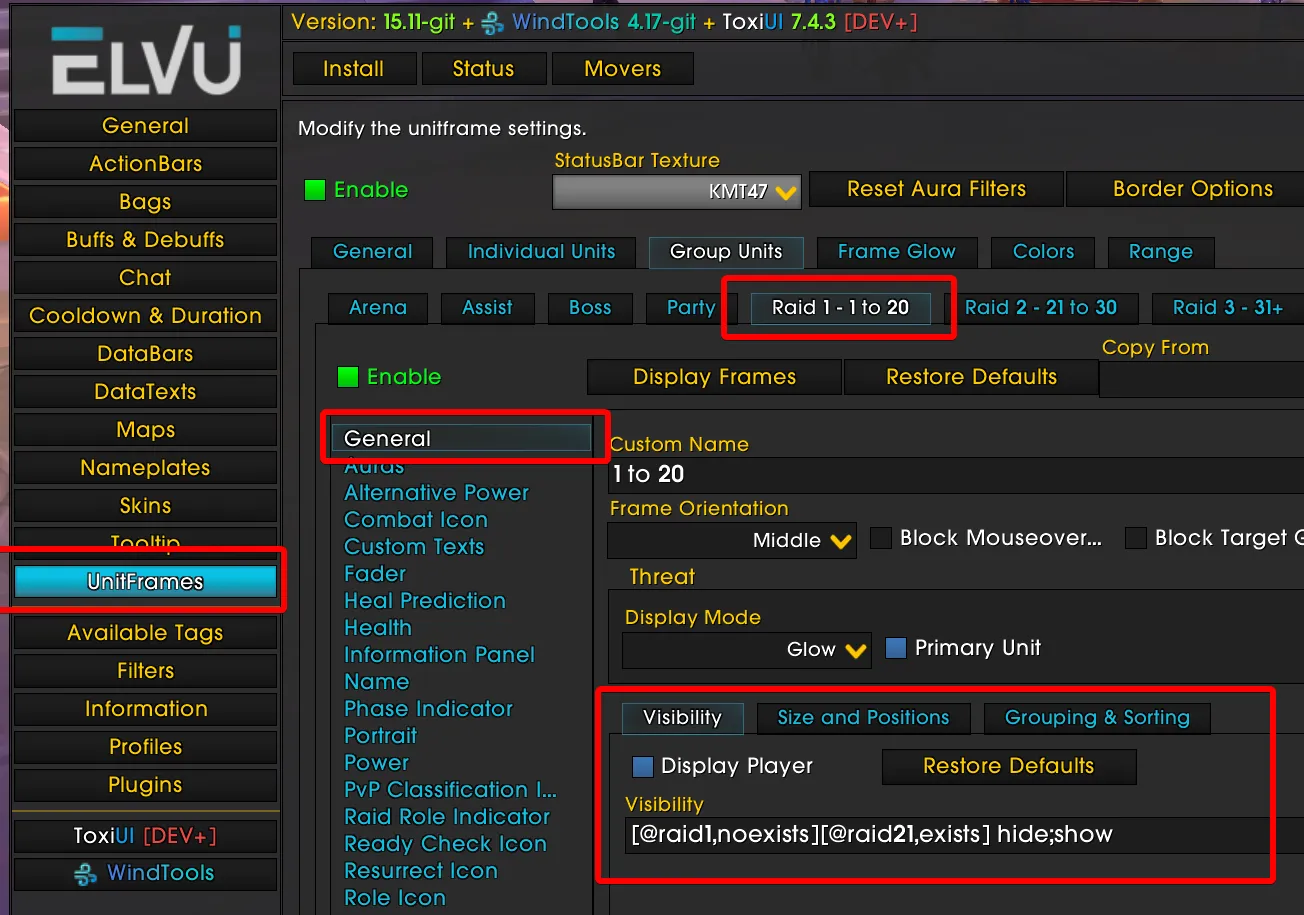
How to show party frames in Arena instead of raid frames?
For some reason, Blizzard considers Arena as a raid group.
We’ve set up Raid Frames to show even with 2 people if it’s a raid, so you’ll have to change Party and Raid 1 Visibility field.
- Party:
[@raid6,exists][@party1,noexists] hide;showCopied! - Raid:
[@raid6,noexists][@raid21,exists] hide;showCopied!

WunderBar
WunderBar is the bar at the bottom of your screen that provides various information and functionality through our own custom modules and more.
How to change the bar at the bottom?
All of the ToxiUI settings (including WunderBar) can be accessed via /tx settings Copied!
I can't click on WunderBar icons!
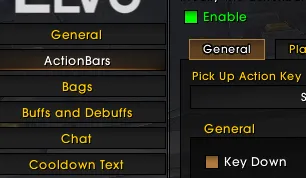
Make sure Key Down is Enabled in ElvUI ActionBars settings
My Experience Bar is missing!
/tx settings Copied!